
Live polls for Google Slides
Your slides look great. Now bring them to life.
With interactive content for Google Slides. Your audience votes from their phones and results appear live on your slides.
Your slides look great. Now bring them to life.
With interactive content for Google Slides. Your audience votes from their phones and results appear live on your slides.
Doppio is the interactive content suite Google Slides deserves. Manage interactive content with real-time previews right inside Google Slides, copy and paste elements around your deck.
No apps, no accounts, no fuss. Your audience just points their phone at the screen and they're in.
Their phone stays with your presentation. When you move slides, they move too.
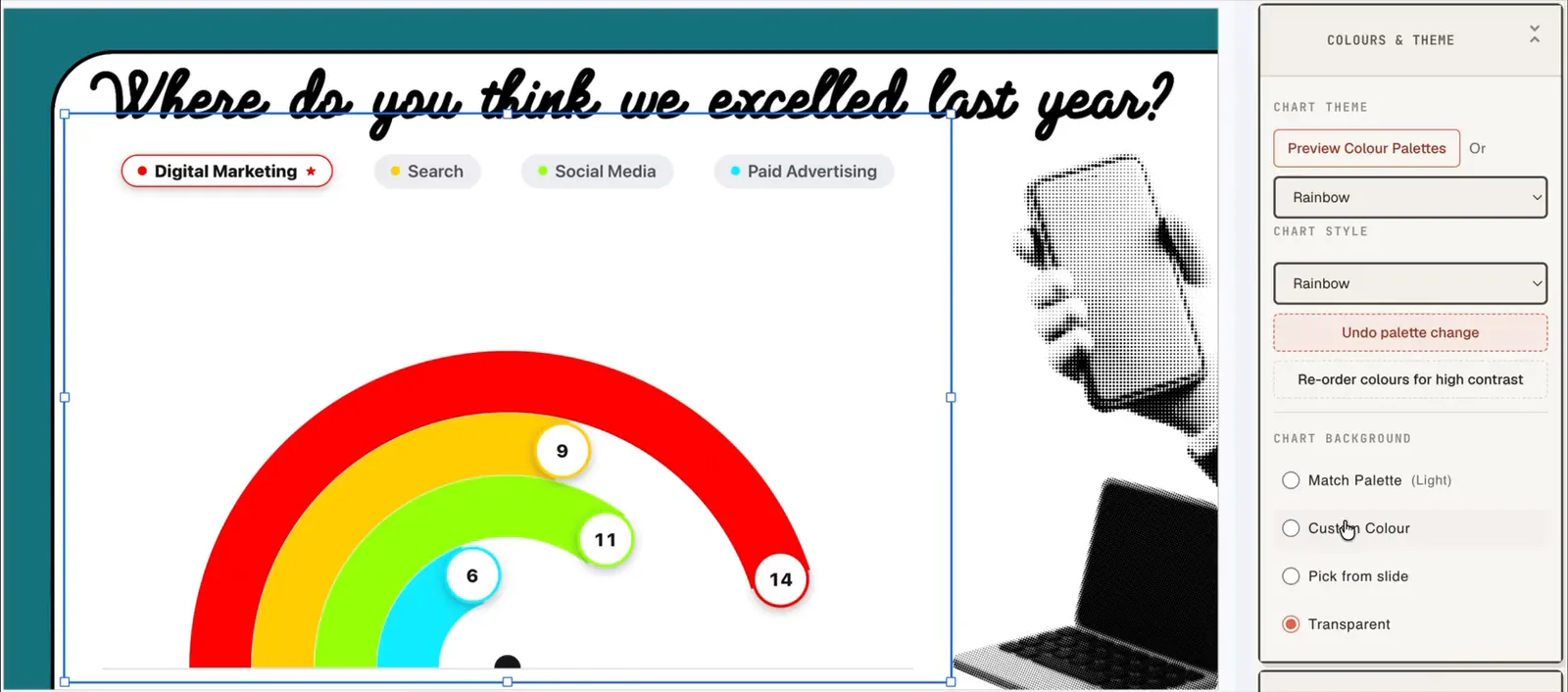
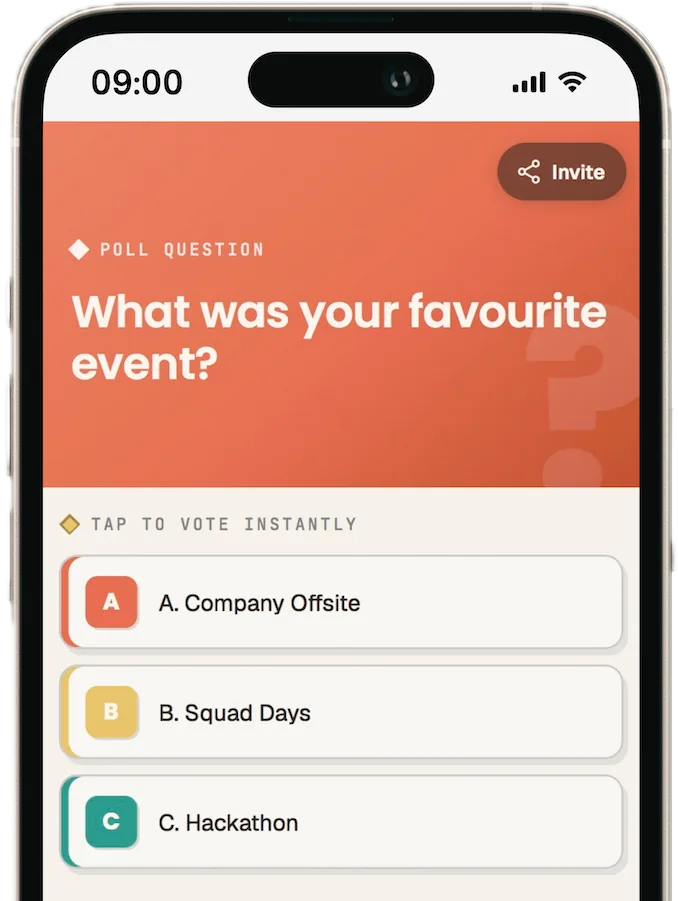
Everyone interacts on their phones, and the answers land straight on the slide in real-time. No second screen, no switching apps.
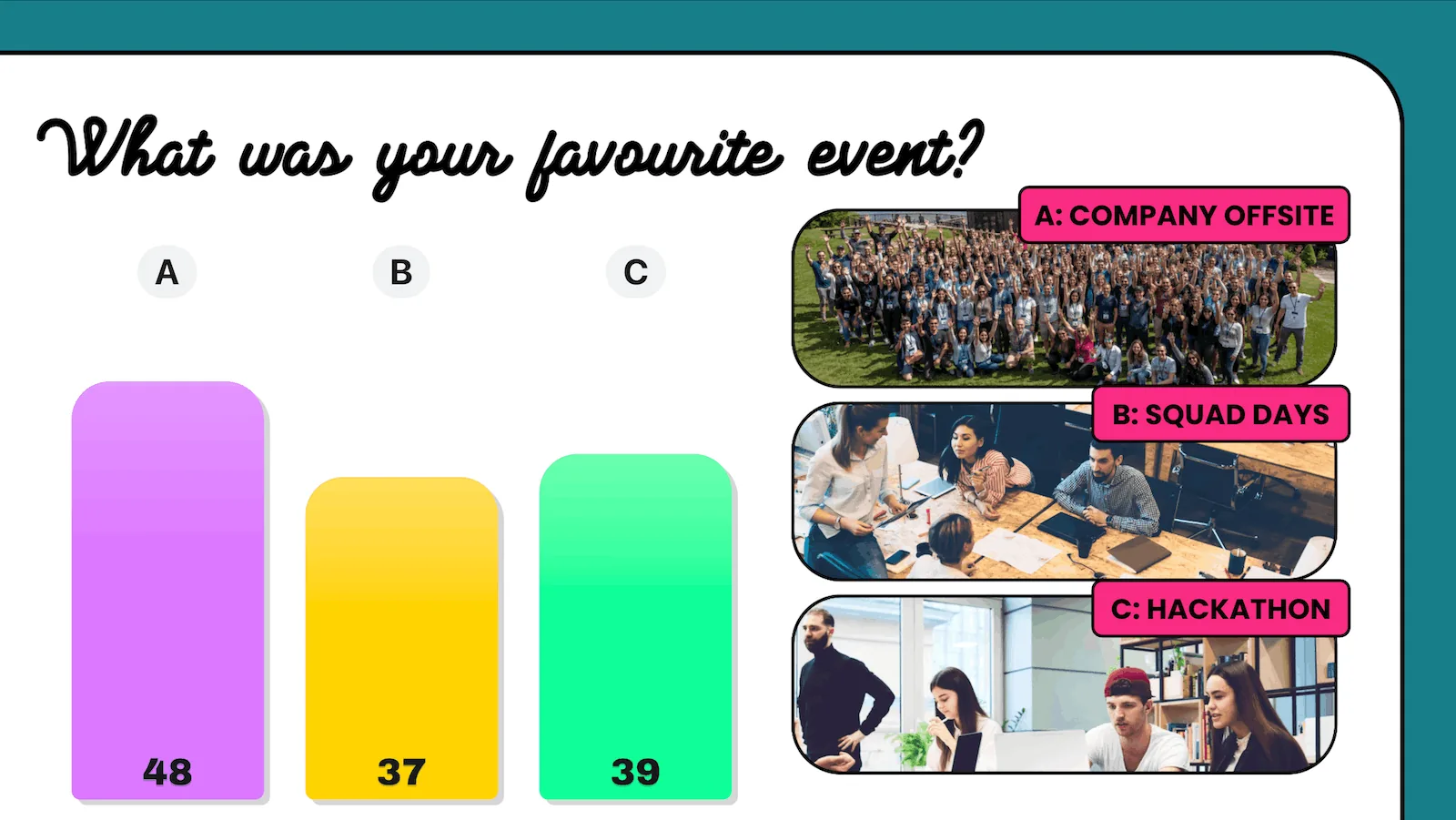
Add a live poll to Google Slides in a little over 2 minutes.
Install extensions in a few clicks and log in using your Google account.
Build it right inside the Slides editor. No other tools.
Your audience scans the screen and votes live from their phones.
Powerful features for interactive Google Slides presentations, from sales pitches and training sessions to classrooms.
Doppio never copies, saves, or reads your slide content. Sensitive material stays in Google Drive. Live interactions happen on top of your presentation.
Participants scan once and stay connected! Their device follows your slides. You can even send content directly back to their device, slide-by-slide.
Turn audience moments into useful takeaways. Every session gets a results dashboard. Full reports are free for up to 15 people, and Pro covers any size.
Polls look great out-of-the-box and fit right in to your flow. Pro unlocks deeper branding and styling controls.
Doppio can handle hundreds of votes per second, so everything stays snappy. The ‘Pre-Flight Check’ gives you confidence everything is just right before you present.
Start with live polls. Add word clouds, ratings, open responses, and more as your sessions grow.
How Doppio compares with separate polling tools like Slido and Mentimeter.
| Doppio | Separate polling tools | |
|---|---|---|
| Where you build polls | Inside the Google Slides editor | In a separate web app |
| When you present | You stay in your slides. No window-switching. | Switch to the tool, or lay its overlay over your slides |
| How results look | In your slide’s own fonts, colours and layout | In the tool’s own templates |
| Audience on the free plan | Unlimited | Capped |
The things people ask before they add Doppio to Google Slides.
Yes. Doppio adds live polls, word clouds, ratings, open responses and countdown timers to your Google Slides deck. You build them in the Slides editor and present as normal.
No. Participants point their phone at the screen, or visit doppio.us, and they're in. Nothing to install, no sign-up.
The free Doppio Chrome extension for presenting, and the Google Slides add-on for creating polls. Both take a few clicks with your Google account.
Yes. Every poll, Q&A, timer and takeaway is free for any audience, with no card. Pro adds full reports for sessions over 15 people, smart moderation and your own branding.
Doppio works inside Google Slides itself, with no separate tool or second window. Results appear in your slide’s own design rather than a generic overlay.
Doppio never copies, saves, or reads your slide content. Sensitive material stays in Google Drive. Live interactions happen on top of your presentation.
Pay only for the report.
Every poll, Q&A, timer and takeaway is free, for any size of audience. Upgrade when you need the full report on bigger sessions, smart moderation and your own branding.
Pro opens soon. Join the waitlist and we’ll email you when it does. Everything on Free works today.
| Plan | Everything in the room Free $0 forever No card required | Show your client the session landed Pro $59 /mo Per presenter · USD | Doppio across your team Workspace Let’s talk For teams of presenters |
|---|---|---|---|
| In the room | |||
| Audience sizeParticipants who can join and respond in a session are never capped, on any plan. | Unlimited | Unlimited | Unlimited |
| Sessions & presentationsRun as many sessions, in as many Google Slides presentations, as you like. | Unlimited | Unlimited | Unlimited |
| All poll types & timersEvery poll type and countdown timer, with live, blind or reveal-later results. | ✓ | ✓ | ✓ |
| Live Q&AYour audience asks and upvotes questions from their phones. | ✓ | ✓ | ✓ |
| TakeawaysSend links and extra info to your audience's phones, slide by slide, while you present. | ✓ | ✓ | ✓ |
| Live results on your slidesResults appear live in your slide’s own fonts and colours. | ✓ | ✓ | ✓ |
| Themes & standard palettesMultiple themes and colours from our standard palette. | ✓ | ✓ | ✓ |
| After the room | |||
| Full post-session reportQuestion-by-question results, participation and your session history. Free covers sessions of up to 15 participants. | Up to 15 people | Any audience | Any audience |
| Branded PDF reportA polished report you can send to a client or manager. | Up to 15 people | Any audience | Any audience |
| Unlock recent reportsUpgrade and reports from bigger sessions in the last 30 days open straight away. | — | Last 30 days | Last 30 days |
| Control & branding | |||
| Smart Q&A moderationAutomatically holds back off-topic or inappropriate questions before they reach your slides. | — | ✓ | ✓ |
| Your brand coloursUse your own or your client’s exact colours on polls and results. | — | ✓ | ✓ |
| Your logo on the audience’s screenReplace Doppio's branding on your audience's phones with your own logo. | — | ✓ | ✓ |
| Custom domainUse your own domain instead of doppio.us for joining. Our team will guide you through it. | — | — | ✓ |
| Organisation | |||
| Shared templatesSave interactive content as templates your team can reuse. | — | — | ✓ |
| Brand enforcementConsistent branding, wording and tone across everyone’s Doppio elements. | — | — | ✓ |
| Admin, analytics & billingManage Doppio, presenters and billing across your organisation. | — | — | ✓ |
Coming soon to Pro: a co-host who moderates Q&A while you present.
The 15-person limit applies only to the report after your session. It never limits who can join, vote or see results live.
Any audience size. Everyone joins, votes and asks questions, and results land live on your slides.
Your full post-session report is free, every time.
We keep it for 30 days. Upgrade to Pro in that time and it opens straight away.
Say you run a workshop for 40 people. The whole session is free. Afterwards your report is ready and waiting, so you only pay if it’s worth having.
Yes. Every interactive feature is free, for any audience, with no time limit and no card.
Yes, to any number. The 15-person limit applies only to the post-session report.
Your session runs exactly the same. Afterwards the report is locked and kept for 30 days. Upgrade within that time to open it.
Yes. Live results on your slides are always free.
Reports from the last 30 days unlock straight away. Reports for sessions of 15 or fewer are always yours.
A unique device that joins and responds at least once. Rehearsals don’t count.
Yes, any time. You keep Pro until the end of your billing period, then move back to Free.
Free · No card required · 2-minute install