
 Log in
 Steal these ideas
 Pricing
 Docs
Steal these ideas / Agree or disagree
Daily Drop · 10 Nov 2026 · Openers
Agree or disagree: a live rating scale for Google Slides
Put a bold statement on the slide and let the room take a side before you argue it.
Free to start. Works in the Google Slides you already use.
How to set it up
- Get Doppio. Install the free Chrome extension and the Google Slides add-on. It takes about two minutes.
- Add a rating scale to your slide. In Google Slides, open the Doppio sidebar (Extensions → Doppio) and create a rating scale. Question: AI will change how we sell within a year. Options: Strongly disagree, Disagree, Neutral, Agree, Strongly agree. The chart in the video is Agreement scale.
- Present as normal. The room scans the QR code on your slide and votes on their phones. The results build live on the slide.
What's in the video
It's your sales kick-off, the deck's up in Google Slides, and you want a real debate, not the loudest voice in the room. Louis here with today's Daily Drop: agree or disagree. Put one bold statement on the slide. AI will change how we sell within a year. Then five options: strongly disagree, disagree, neutral, agree, or strongly agree. Watch the votes roll in. With Doppio, the bars build right beside your statement, coloured to match your deck. Now the debate starts with real numbers, and the quiet half of the room gets a say. Grab this idea, and add it to your own deck in seconds, at doppio.live/ideas. Enjoy, and we'll be back tomorrow with a freshly brewed Daily Drop!
Run agree or disagree in your next session
Doppio puts live polls, scales and quizzes inside your Google Slides, styled to match your deck. Your audience votes from their phones, no app needed.
Get Doppio free →More ideas to steal
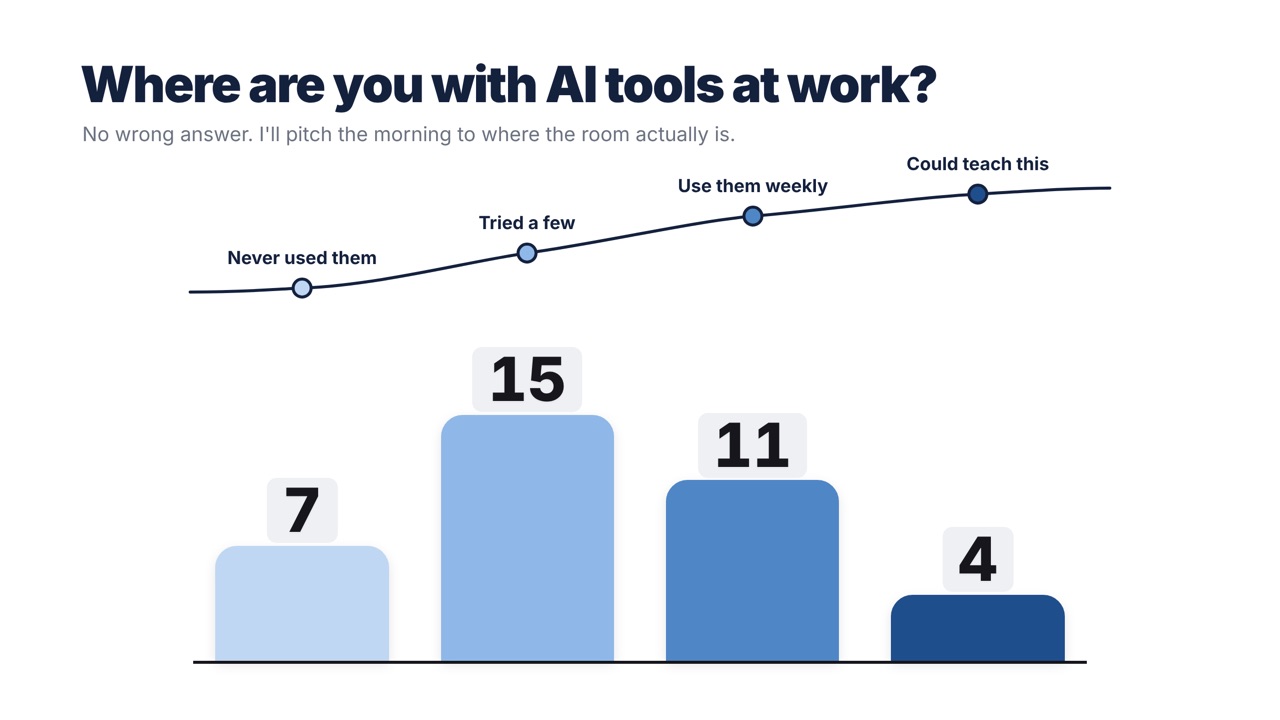
Where are you on the learning curve
Bars sit under a drawn learning curve so you can pitch the session at where the room actually is.
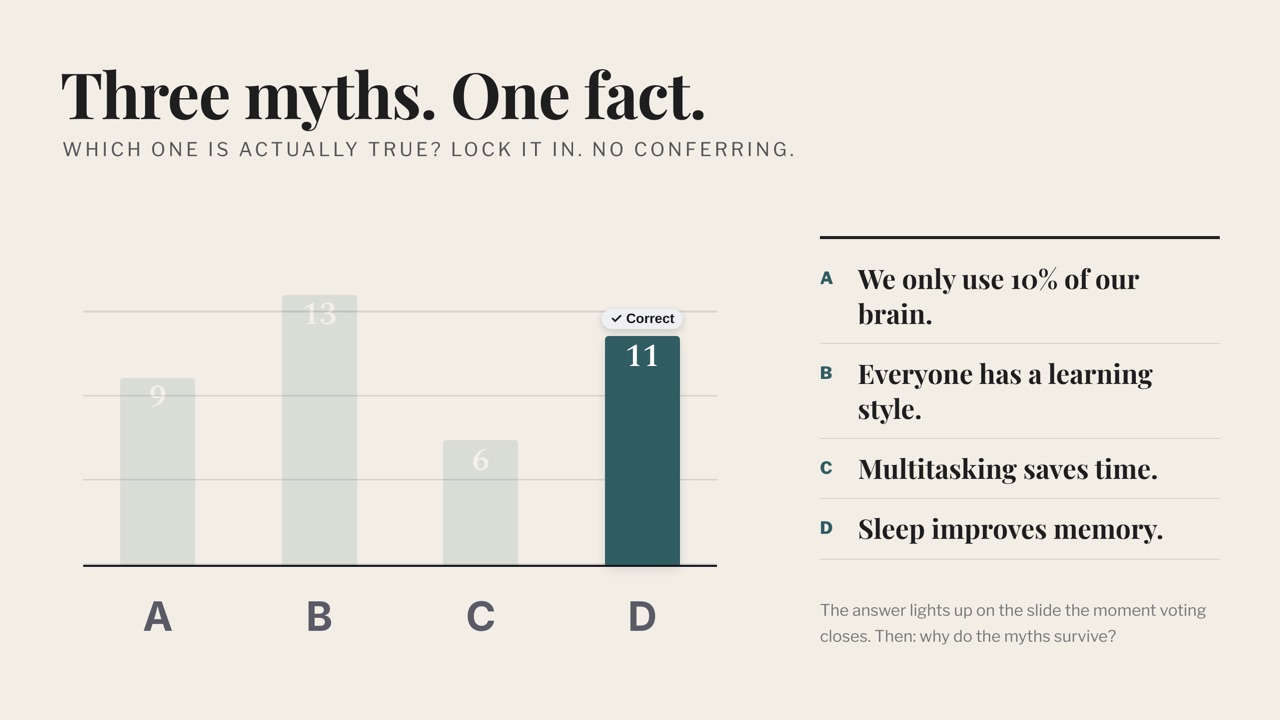
Three myths, one fact
Three popular myths and one true fact; the room bets, then the right answer lights up.
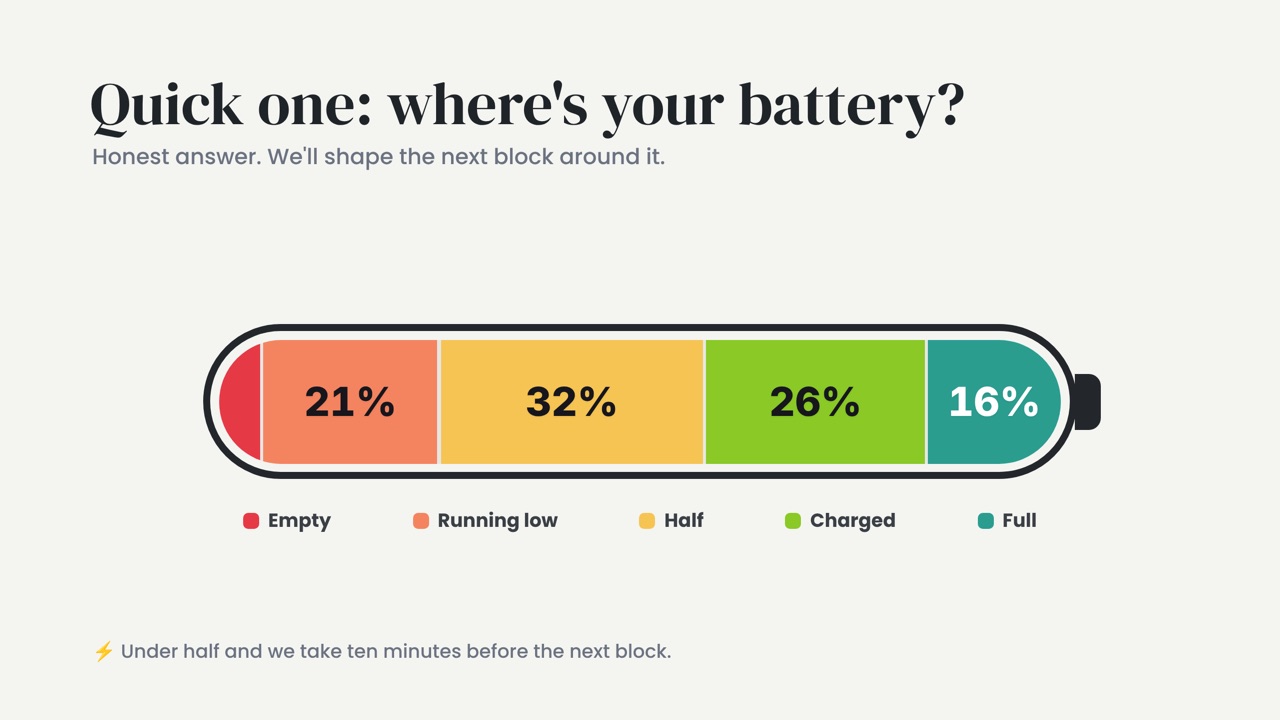
Where's your battery
After lunch, the room rates its energy on a battery; under half and you take a break.