
 Log in
 Steal these ideas
 Pricing
 Docs
Steal these ideas / Ask it anonymously
Daily Drop · 18 Nov 2026 · Mid-session
Ask it anonymously: a live qa for Google Slides
An anonymous question board on the slide; questions arrive, the room upvotes, and the board sorts itself so the most-wanted question rises.
Free to start. Works in the Google Slides you already use.
How to set it up
- Get Doppio. Install the free Chrome extension and the Google Slides add-on. It takes about two minutes.
- Add a qa to your slide. In Google Slides, open the Doppio sidebar (Extensions → Doppio) and create a qa with your question and options. The chart in the video is Q&A board with upvotes (popular view), Scan to ask.
- Present as normal. The room scans the QR code on your slide and votes on their phones. The results build live on the slide.
What's in the video
In every room, there's one question everybody's thinking, and nobody wants to ask. Louis here with today's Daily Drop: ask it anonymously. Put a Doppio question board on your slide. The room scans the code, and asks whatever's on their mind. No names, no hands up. Watch the questions arrive. And as people upvote the ones they want answered too, the board sorts itself, so the question the room needs most rises to the top. And it's usually the one you'd never have heard out loud. Grab this idea, and add it to your own deck in seconds, at doppio.live/ideas. Catch you tomorrow for another freshly brewed Daily Drop!
Run ask it anonymously in your next session
Doppio puts live polls, scales and quizzes inside your Google Slides, styled to match your deck. Your audience votes from their phones, no app needed.
Get Doppio free →More ideas to steal
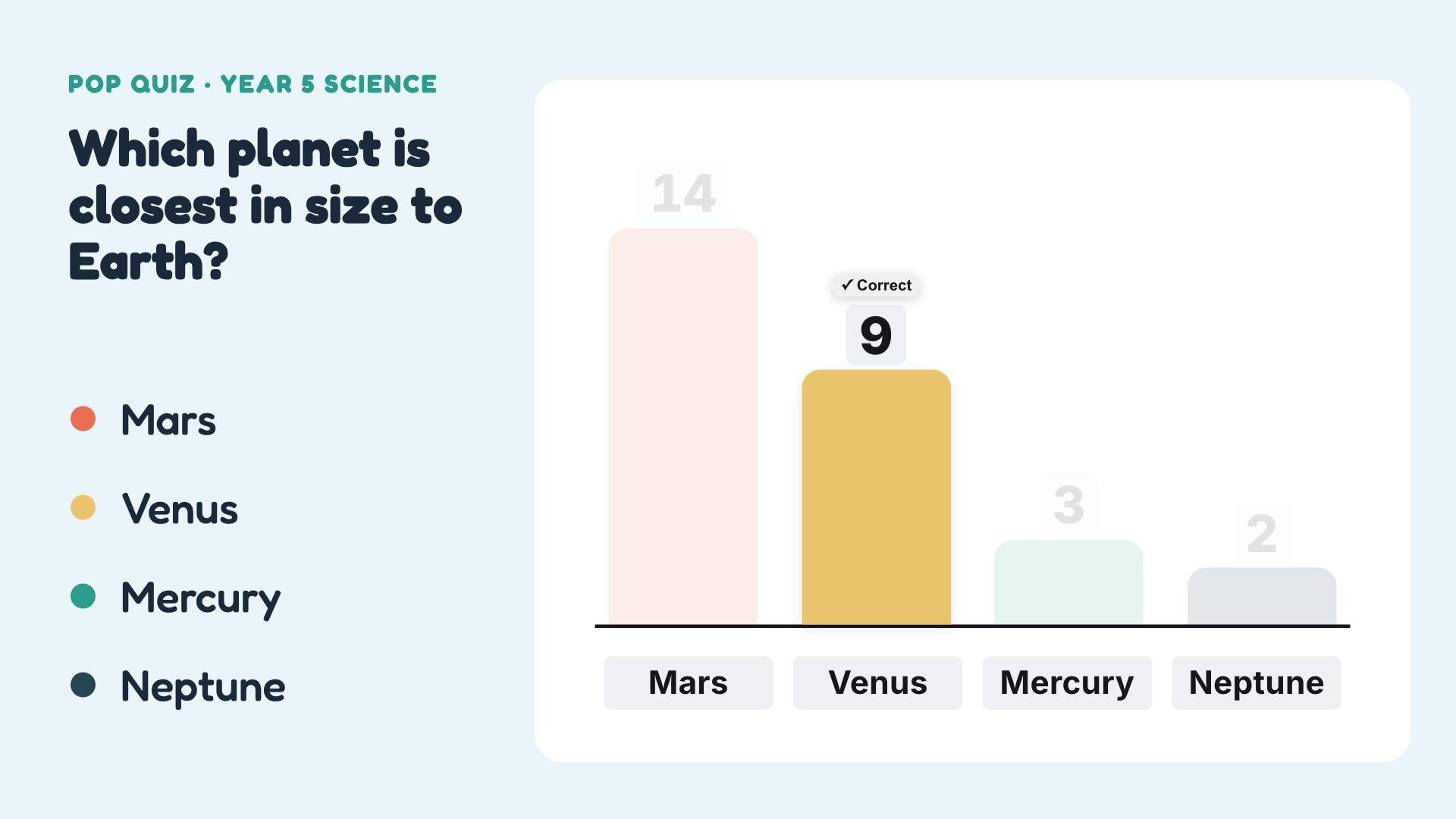
The pop quiz
A one-question science quiz with a 10-second countdown on the slide and every phone; results stay hidden till time's up, then the right answer lights up.
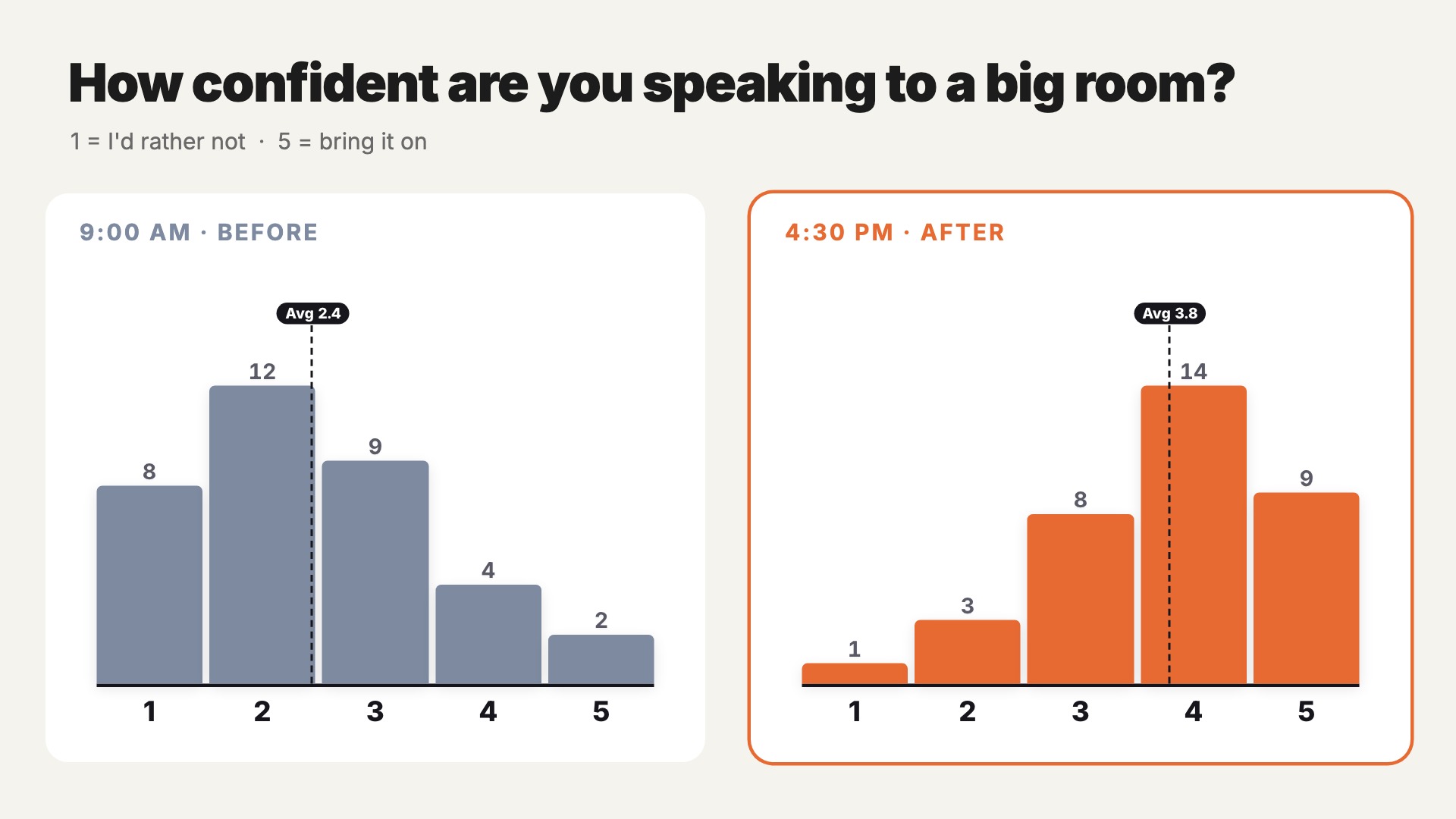
Before and after
The same confidence question at 9:00 and 4:30; the morning chart sits frozen beside the live one, and the Average marker moves from 2.4 to 3.8.
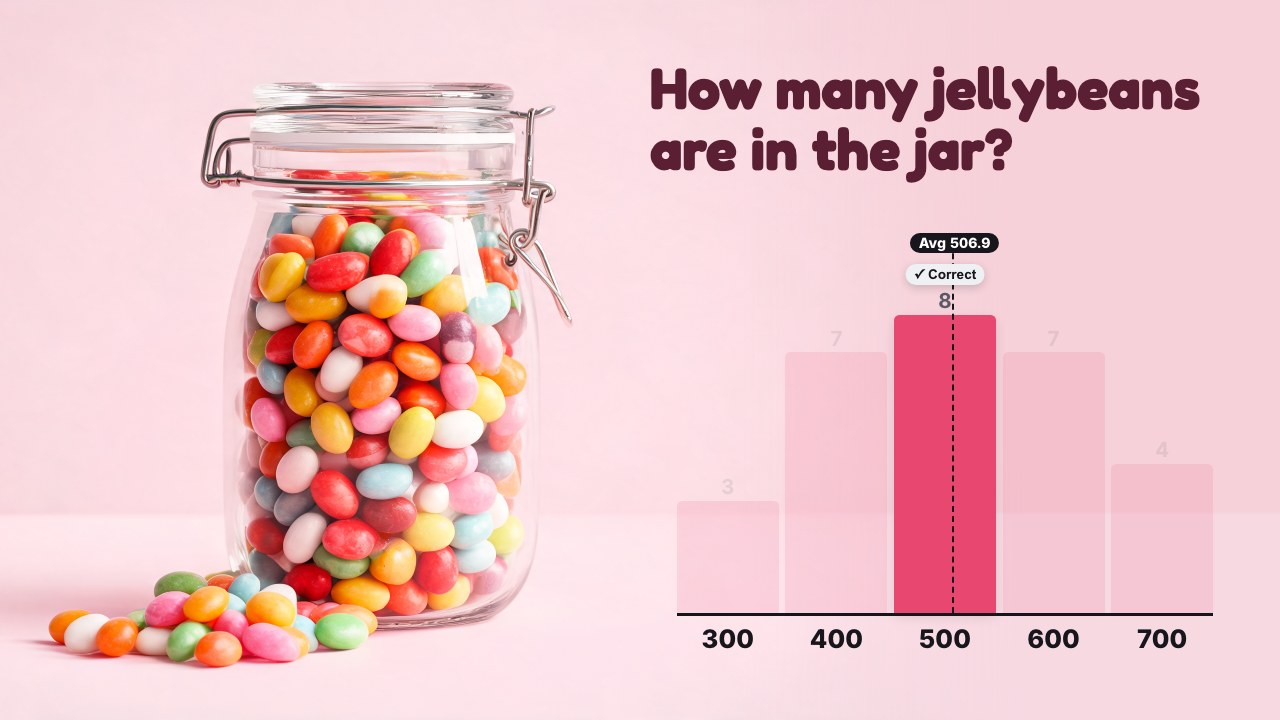
Guess the jar
A photo of a jar of jellybeans; the room guesses, the Average line lands 12 off and the 500 bar lights up as correct.