
 Log in
 Steal these ideas
 Pricing
 Docs
Steal these ideas / The departures board
Daily Drop · 13 Nov 2026 · Breaks
The departures board: a live timer for Google Slides
A break countdown on a slide designed like an airport departures board.
Free to start. Works in the Google Slides you already use.
How to set it up
- Get Doppio. Install the free Chrome extension and the Google Slides add-on. It takes about two minutes.
- Add a timer to your slide. In Google Slides, open the Doppio sidebar (Extensions → Doppio) and create a timer with your question and options. The chart in the video is Timer on the slide + the same countdown on every phone.
- Present as normal. The room scans the QR code on your slide and votes on their phones. The results build live on the slide.
What's in the video
Ten-minute break. Twenty-five minutes later, half the room is still queuing for coffee. Sound familiar? Louis here with today's Daily Drop: put a countdown on your break slide, and make it look like an airport departures board. Watch the clock tick down. With Doppio, the timer runs live inside your Google Slides slide, and it starts the moment the slide opens. But here's the part most people miss. The same countdown follows everyone on their phone. Coffee queue, corridor, wherever they are, they know exactly when Breakout Two departs. Grab this idea, and add it to your own deck in seconds, at doppio.live/ideas. Enjoy, and we'll be back tomorrow with a freshly brewed Daily Drop!
Run the departures board in your next session
Doppio puts live polls, scales and quizzes inside your Google Slides, styled to match your deck. Your audience votes from their phones, no app needed.
Get Doppio free →More ideas to steal
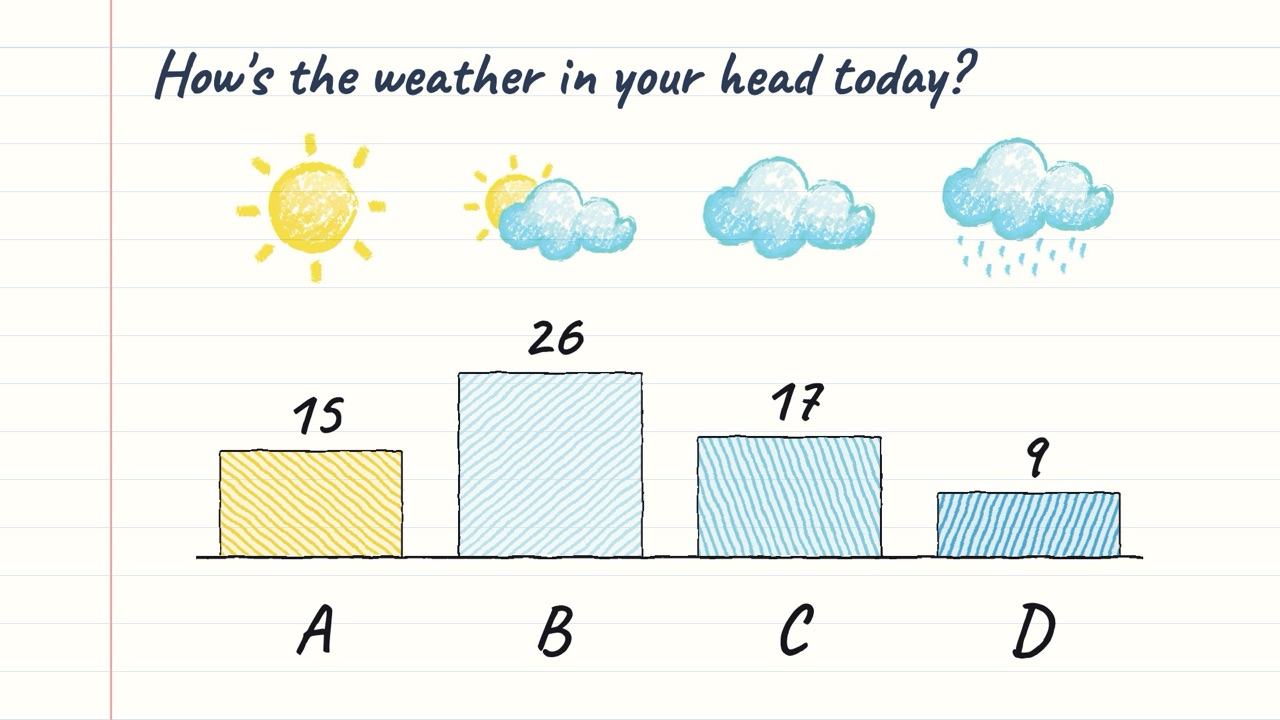
The weather check
Four crayon weather sketches on a notebook page ARE the options; the pencil chart under them only says A–D.
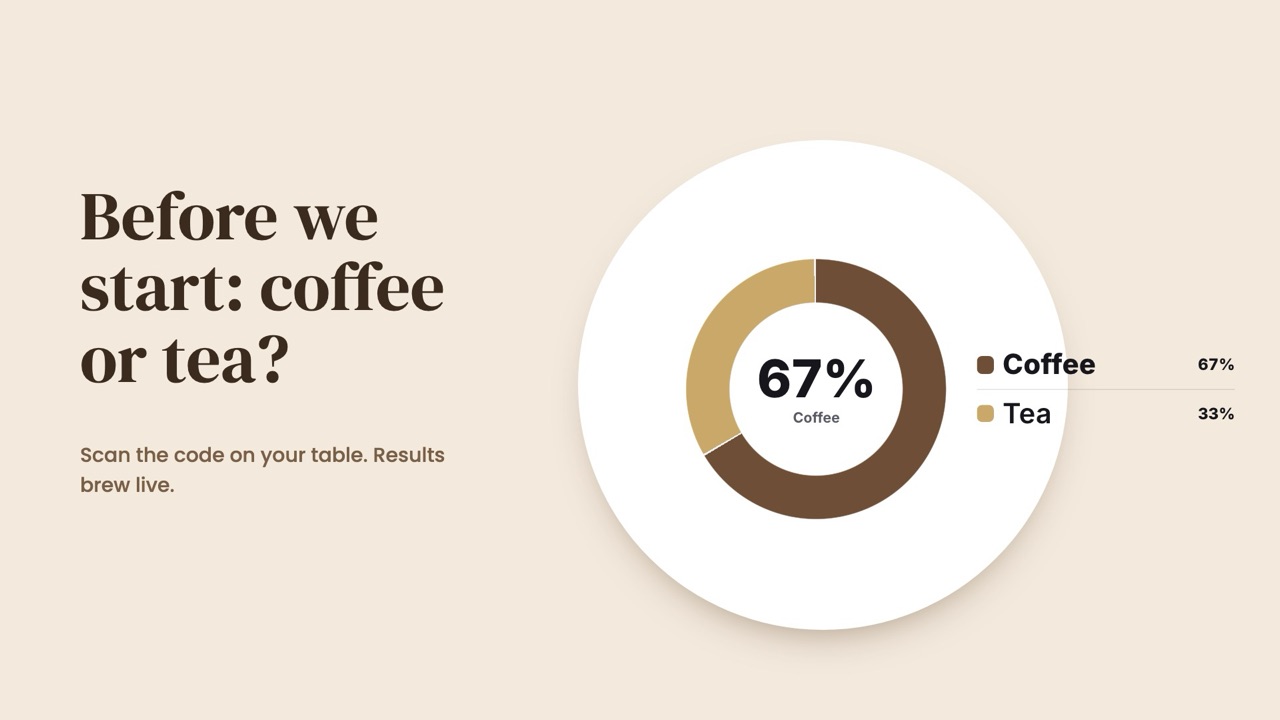
Coffee or tea
A silly opener with a serious job: everyone's phone is connected before you start.
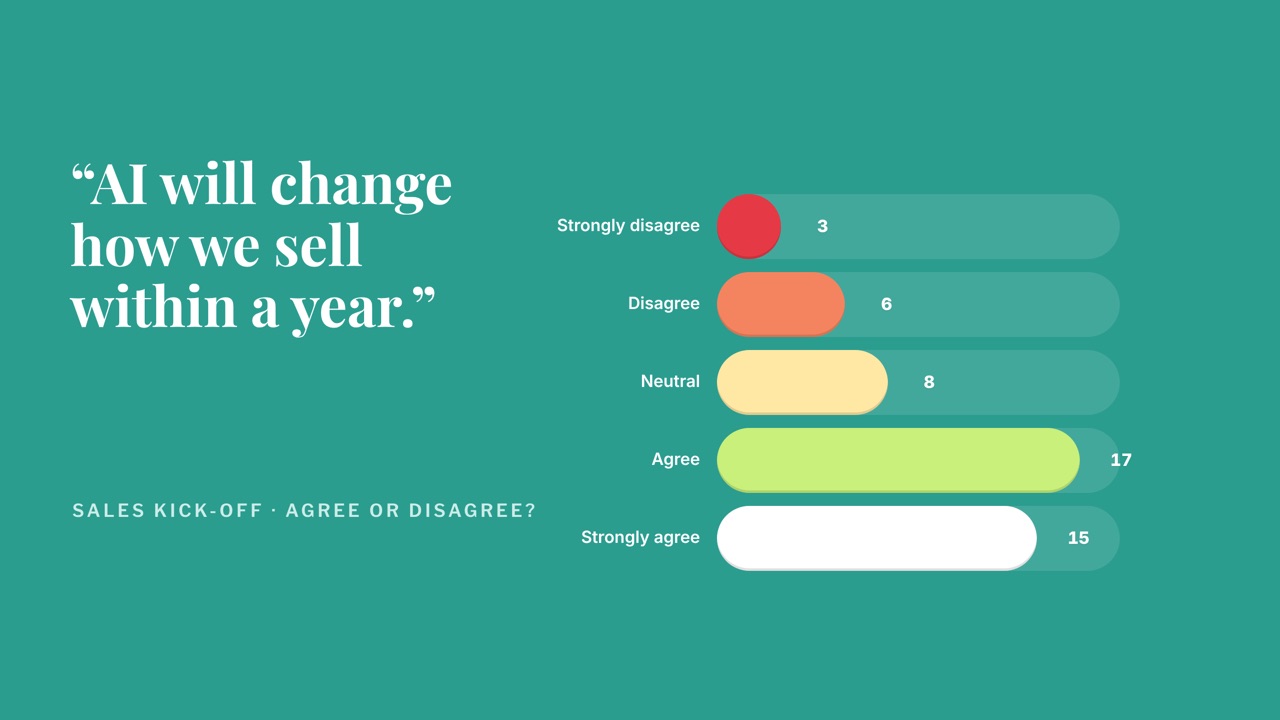
Agree or disagree
Put a bold statement on the slide and let the room take a side before you argue it.